Ntfy is a simple notification service that allows sending notifications via a simple HTTP request.
Sending notifications is done by making a request to a unique URL that represents a topical namespace. Here’s a simple example from the ntfy.sh homepage:
curl -d "Backup successful 😀" ntfy.sh/mytopic The ntfy.sh website mentions that the topic name is essentially a password, so it’s important to pick a name that’s not easily guessed.
I usually use a short name (e.g. notifications) followed by a unique UUIDv4 string, which results in a topic name that looks like this:
ntfy.sh/notifications-8b8d0ca2-3e9d-444a-8169-480042125f6aSince the app will truncate the string, the extra length that’s appended doesn’t affect readability in the least.
SSH Notifications
To enable notifications for SSH logins, the system-wide profile will need to be edited:
sudo nano /etc/profileAnd the following snippet added to the end of the file:
if [ -n "$SSH_CLIENT" ]; then

NTFY="${USER}@$(hostname -f) from $(echo $SSH_CLIENT|awk '{print $1}')"

curl -s -H "Title: SSH Login" -d "$NTFY" ntfy.sh/notifications-8b8d0ca2-3e9d-444a-8169-480042125f6a > /dev/null

fi
Where notifications-8b8d0ca2-3e9d-444a-8169-480042125f6a is the Ntfy topic.
I found the
awklogic from a blog post on email alerts for SSH logins, which I repurposed for use with Ntfy.
One additional change I made from the original code snippet was sending the output to /dev/null which prevents users from seeing the verbose output when they themselves login.
Below is an example of how a login notification looks in the Ntfy app:
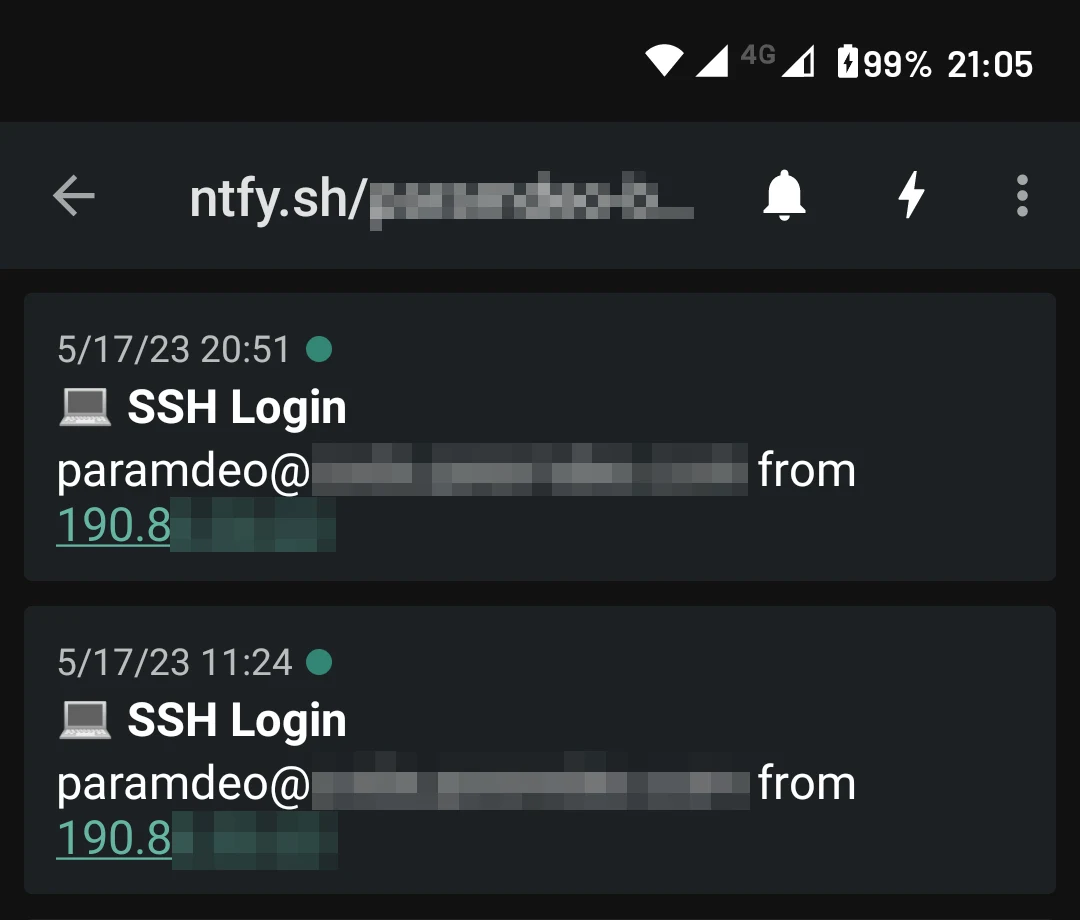
This type of system requires less moving parts than using sendmail for example, and push notifications are practically instant.
Links
- ntfy - ntfy.sh